
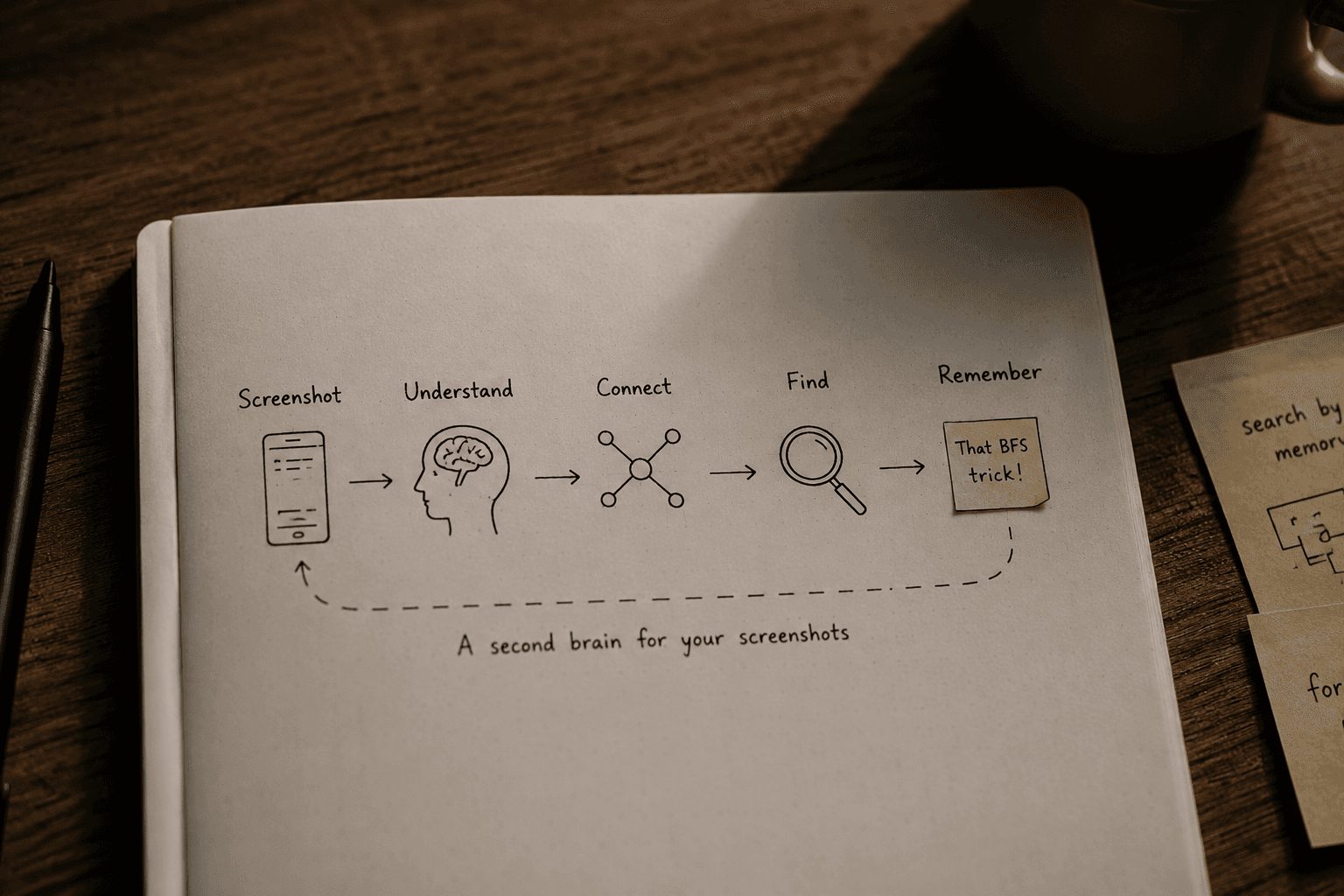
In the first part of this series, I talked about a problem I kept noticing with screenshots.
We save them because we think they'll be useful later, but when we actually need them, we often have no idea where they are.
That led me to Pomniter.
The project has a new name: Pomniter. It is inspired by the Russian word помнить (pomnit), meaning "to remember"—which captures exactly what I want this project to help with.
Identifying the problem is the easy part. The harder question is: how do I actually build something that solves it?
I don't want Pomniter to be another gallery with a slightly better search bar. The idea is to make screenshots understandable enough that I can search for them the same way I remember them.
So before writing any code, I wanted to figure out what Pomniter actually needs to do.
What Should Happen When I Take a Screenshot?
At the simplest level, the flow should look something like this:
↓
Understand it
↓
Extract useful information
↓
Organize it
↓
Make it searchable
↓
Retrieve it when needed
The important part here is understand.
If I take a screenshot of a LeetCode problem, I don't just want the system to know that the image contains the words "Binary Search." I'd want it to understand that it's probably:
- • related to programming,
- • related to DSA,
- • specifically about binary search,
- • potentially useful for interview preparation,
- • and probably something I saved for future reference.
That's a very different problem from simply storing an image.
A Screenshot Contains More Than Text
One of the first things I realized while thinking about this project is that OCR alone isn't enough.
Consider a screenshot containing:
mid = left + (right - left) / 2OCR can extract that text. But the useful information isn't just the text. It's the context around it.
It's a programming concept. It's related to binary search. It might be part of a coding interview note. It might be something I wanted to remember because I kept making overflow mistakes with the usual midpoint formula.
That context is what makes the screenshot useful later. So Pomniter needs to look beyond the text and understand what the screenshot actually represents.
How Should I Search for Something I Saved?
This is probably the most important part of the project.
Let's say I saved a screenshot about BFS two months ago. A traditional search might require me to type:
But that's not necessarily how I remember it. I might remember:
The system should be able to work with that kind of query. That's why I'm interested in semantic search rather than relying only on filenames or exact keywords.
The goal isn't just to search for a word. The goal is to search for what I remember.
The First Version of Pomniter
There are a lot of things I could try to build here: automatic reminders, duplicate detection, related screenshots, AI-generated summaries, flashcards, actions from screenshots, or a conversational assistant.
All of these are interesting, but trying to build everything at once would probably be a mistake. So I'm narrowing down the first version.
↓
Pomniter understands it
↓
Pomniter stores what it learned
↓
I search using natural language
↓
Pomniter finds the relevant screenshot
If that basic loop doesn't work well, none of the other features really matter.
Where AI Comes In
This is where the project starts getting interesting technically. My current idea is to use a combination of image understanding, OCR, embeddings, and retrieval-augmented generation.
At a high level, I'm thinking about something like:
↓
Image Understanding
↓
Text + Context
↓
Structured Metadata
↓
Embeddings
↓
Semantic Search
↓
Relevant Results
↓
RAG
↓
Natural Language Response
This isn't the final architecture. I expect this diagram to change once I start implementing and testing things.
There will probably be cases where OCR works better than I expected, cases where vision models are unnecessarily expensive, and cases where semantic search returns results that look relevant but aren't actually useful.
I want to discover those problems while building instead of assuming I already know the perfect solution.
But What About All the Other Features?
Once the core retrieval system works, Pomniter can become much more interesting. For example:
These are ideas for later. For now, I want to get one thing right: Can Pomniter actually help me find something I saved months ago?
What I Don't Want to Build
This is also something I need to be clear about.
I don't want Pomniter to become an app that tries to automatically organize every image on my device into hundreds of categories.
I don't want users to spend time maintaining folders, tags, and collections.
And I don't want another search box where users have to remember exactly what they typed when they saved something.
The whole point is to reduce the amount of remembering required from the user. The system should do more of that work.
What's Next?
At this point, Pomniter is still just an idea backed by a rough technical direction. I haven't tested the retrieval quality yet. I don't know which models will work best. I don't know how much processing should happen locally and how much on a server.
And I expect the architecture to change once I start building. That's actually what I'm looking forward to.
The next step is no longer about defining the idea. It's about building the first working version and finding out where the idea breaks.
Part 3 will be where I start building Pomniter.
Written by Nikunj Maheshwari
Building innovative mobile and web AI apps. Follow along for Part 3.